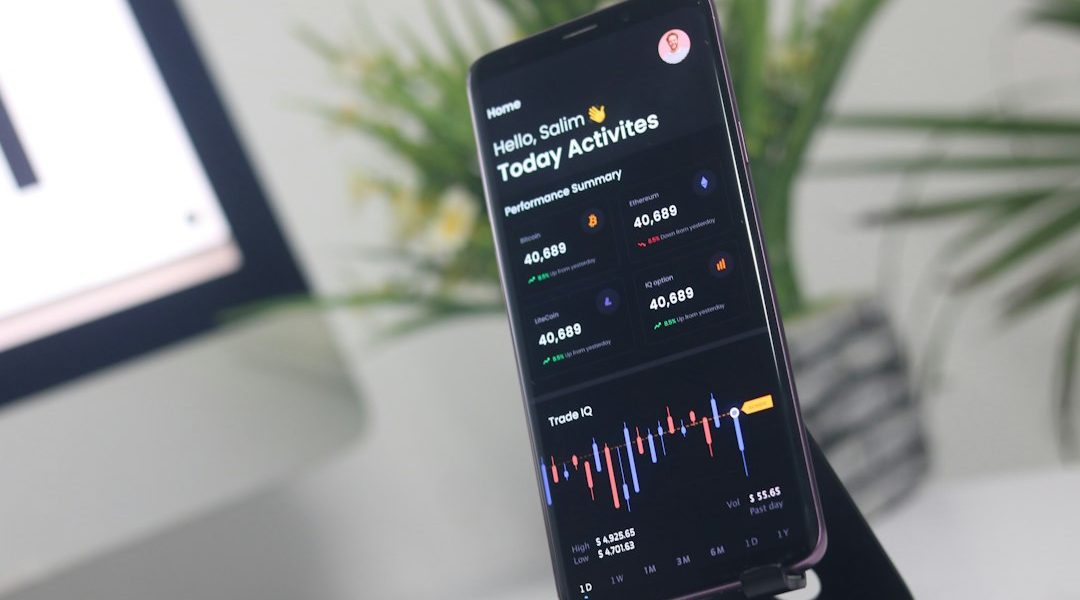

Mobile trading has become an important part of modern financial market access because traders can monitor charts, review positions, and follow market developments without remaining at a desktop workstation. For new users, the first stage is understanding the correct platform and installation process. The official IronFX platform information directs users toward mobile access through MetaTrader 4, which is available for Android and iOS devices. A careful ironfx app download process begins with selecting the correct mobile platform, installing it from an appropriate source, and preparing the account credentials required for login.
Table of Contents
- What Is the Mobile Trading Platform?
- Check the Mobile Device
- Locate the Correct Trading Application
- Install the Application
- Prepare Your Trading Credentials
- Log In and Review the Interface
- Step Seven: Review Market Information
- Understand Order Management
- Monitor Trading History
- Keep the Application Secure
- Common Beginner Mistakes
- What Should Beginners Do After Installation?
- Final Thoughts
What Is the Mobile Trading Platform?
The mobile trading environment provided through IronFX is designed around MetaTrader 4. The platform is available across Android and iOS devices, as well as desktop operating systems and browser-based access. This means beginners can choose a device that matches their normal trading routine while maintaining access to their trading account.
The mobile platform provides several functions that are useful for market monitoring. These include interactive charts, market prices, order management, trading history, and technical analysis tools. The official Android information also describes multiple chart formats, several timeframes, technical indicators, and analytical objects available within the mobile environment.
For a beginner, understanding these features before placing a live trade is important. Downloading the application is only the first stage. Learning how the interface works can help reduce avoidable navigation mistakes.
Check the Mobile Device
Before installation, check whether the smartphone or tablet is compatible with the selected mobile platform. Android users should use the official application distribution channel recommended for their device, while iPhone and iPad users should use the appropriate iOS application source.
A stable internet connection is also useful during installation and account setup. Keeping the device’s operating system and application environment updated can support smoother operation and reduce compatibility problems.
Beginners should also make sure that they have sufficient storage space and that the device is protected with a secure screen lock. Mobile trading involves account credentials, so basic device security should be treated as part of the setup process rather than as an optional extra.
Locate the Correct Trading Application
The official IronFX platform page identifies MetaTrader 4 as its trading platform and provides mobile access for Android and iOS. The company also states that users can download the platform to a mobile device or access the web-based version through a browser.
This distinction is useful for beginners because searches for a broker’s mobile application can sometimes produce unrelated applications or unofficial download pages. Checking the official IronFX website before installation helps users understand which platform is supported.
Once the correct application has been located, review the developer information and platform details before proceeding. Avoid installing unknown files or applications from unfamiliar websites.
Install the Application
After locating the correct mobile trading application, begin the standard installation process provided by the device. Allow the application to finish installing before opening it.
The installation itself is generally straightforward. The more important stage comes afterward, when the user needs to connect the application with the appropriate trading account.
The official iOS guidance describes a login process in which users can select IronFX from the broker list and enter the credentials associated with an existing live or demo account.
Prepare Your Trading Credentials
A mobile application cannot provide meaningful account access without the correct login information. Before attempting to sign in, identify whether you are using an existing live account or a demo account.
IronFX’s account-opening guidance explains that users first register, complete account verification, and then proceed with the trading account setup. Verification may require proof of identity and proof of residence.
Beginners should enter login details carefully. Passwords should never be shared with other people, saved in unsecured locations, or entered into unfamiliar websites claiming to provide account assistance.
If login information has been forgotten, the official support resources provide guidance for Select the Correct Broker
Once the application is installed, open the login section and search for IronFX when the platform requests the broker or server. Selecting the correct broker connection is important because similar-looking account login screens may contain several options.
The official iOS instructions specifically state that users should select IronFX from the broker list before entering the credentials associated with their account.
Android users should follow the equivalent account connection process shown within their application.
Log In and Review the Interface
After successful authentication, take time to explore the application before attempting to trade. A beginner can start by identifying the main sections for market prices, charts, open positions, account information, and trading history.
The purpose of this stage is familiarisation. Knowing where important functions are located can make the mobile experience more manageable when market conditions change quickly.
The platform supports interactive charts and technical analysis features. IronFX describes access to multiple chart types, timeframes, indicators, and analytical tools within its mobile offering.
Step Seven: Review Market Information
A mobile trading platform is not simply an order-entry tool. It can also be used to observe market conditions and conduct analysis.
Beginners can examine available instruments, switch between chart timeframes, and study price movement before considering any trading decision. The official platform information describes access to live market prices and charting functionality.
It is useful to create a consistent routine. Rather than constantly opening the application without a specific purpose, users can establish regular periods for reviewing markets, checking open positions, and studying relevant financial information.
Understand Order Management
Order management is one of the most important parts of mobile trading. Users should understand the difference between opening a position, modifying an order, and closing a position before using a live account.
The mobile platform provides tools for managing orders and positions. The iOS information also describes access to different order types and execution modes.
New traders should first learn how each function operates within the application. Practising with a demo environment can help users become familiar with navigation without immediately relying on a live trading balance.
Monitor Trading History
Trading history can provide useful information about previous activity. Reviewing completed transactions allows users to examine how orders were handled and whether their trading process followed the plan they intended to use.
The mobile platform provides access to trading history, making it possible to review activity from a smartphone.
A simple record-keeping habit can also help beginners identify recurring behavioural patterns. The goal should be learning and consistency rather than reacting emotionally to individual market movements.
Keep the Application Secure
Security should remain a priority after installation. Users should keep their mobile device protected, avoid sharing account credentials, and install application updates from trusted sources.
It is also sensible to review login activity and account notifications when available. If a user notices an unexpected access issue, contacting official support is preferable to relying on unverified third-party assistance.
IronFX provides a Help Hub and customer support channels for users who require assistance with account and platform questions. Its support page states that live chat and messaging support are available alongside the Help Hub.
Common Beginner Mistakes
Several simple mistakes can make mobile trading more difficult. Installing an unofficial application, selecting the wrong broker connection, entering incorrect credentials, or attempting to trade before understanding the interface can all create unnecessary problems.
Another common issue is treating mobile access as a substitute for preparation. A convenient application does not remove the need for market research, risk awareness, and an understanding of trading mechanics.
Users should also remember that leveraged trading carries substantial risk. IronFX states that its products are traded on margin and that losses can reach the full amount of capital.
What Should Beginners Do After Installation?
After completing installation and login, the next priority should be education. Learn how charts work, understand the order screen, review trading history, and become familiar with the available instruments.
The official IronFX platform information describes a broad range of trading instruments and market-analysis functionality.
A structured learning approach can make mobile trading easier to understand. Beginners may start by observing markets, testing the interface through a demo environment, and gradually developing a consistent process.
Final Thoughts
The mobile setup process is straightforward when approached in stages. Start by confirming the supported trading platform, install it through a trusted source, connect the correct account, and spend time learning the interface before placing live orders. IronFX currently identifies MetaTrader 4 as its trading platform and supports mobile access for Android and iOS devices.
For beginners, successful setup is less about rushing through installation and more about building familiarity with the trading environment. Careful account preparation, secure login practices, market observation, and responsible risk awareness can create a more organised foundation for mobile trading.
Key Takeaways
- Mobile trading allows users to monitor charts, review positions, and follow market developments without being tethered to a desktop workstation.
- IronFX directs users to access mobile trading through the MetaTrader 4 platform, which is compatible with Android and iOS devices.
- Before installation, users must ensure their device is compatible and check for sufficient storage and security measures.
- Correct login information is essential for accessing trading accounts, and users need to differentiate between live and demo accounts when signing in.
- The mobile platform includes features like interactive charts, order management, and technical analysis tools to assist traders in monitoring market conditions.